Screen Studio Alternative that works on Windows, Mac, Linux (via Chrome)

ScreenSmooth vs Screen Studio

ScreenSmooth is a cross-platform Chrome extension with automatic zoom, smooth cursor, and manual zoom editing. Screen Studio is a Mac-only native app with webcam overlay, background music, motion blur, and more. Here's how they compare.

ScreenSmooth

Chrome Extension • Windows, Mac, Linux
  • Auto-zoom on clicks
  • Manual zoom editor
  • Smooth cursor effects
  • Works on any OS with Chrome
  • No subscription — $79 once
VS

Screen Studio

Native Desktop App • Mac Only
  • Auto-zoom + webcam + motion blur
  • Full desktop/app recording
  • Background music & style presets
  • GIF export + iOS recording
  • $29/month subscription

TL;DR

ScreenSmooth is a Chrome extension that works on Windows, Mac, and Linux (via Chrome) with auto-zoom, smooth cursor, and manual zoom editing — all for a one-time $79 payment. It records browser tabs.

Screen Studio is a Mac-only native app with more features (webcam, motion blur, GIF export, iPhone/iPad recording) but costs $29/month ($108/year).

If you're on Windows/Linux or want to avoid subscriptions, ScreenSmooth is your pick. If you need desktop app recording and advanced polish on Mac, Screen Studio is the better tool.

Landing Page Previews

See the Products Side by Side

A quick visual look at both products before you compare features, pricing, and workflow.
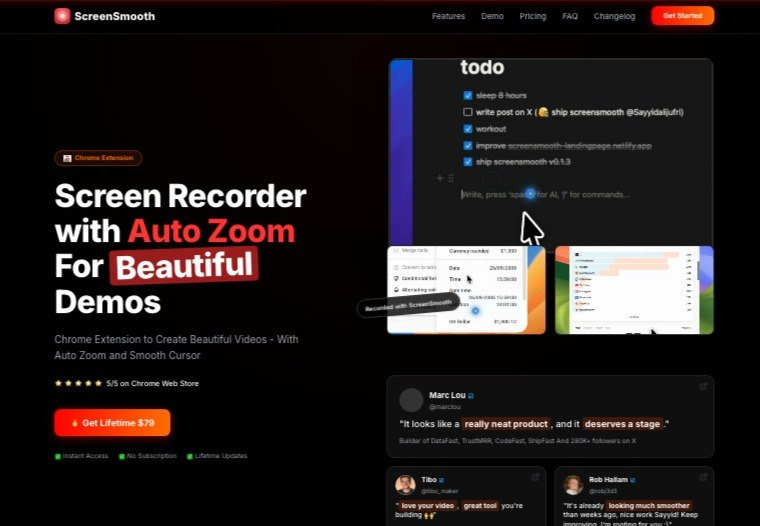
screensmooth.com
ScreenSmooth landing page
ScreenSmooth — Landing page preview View site →
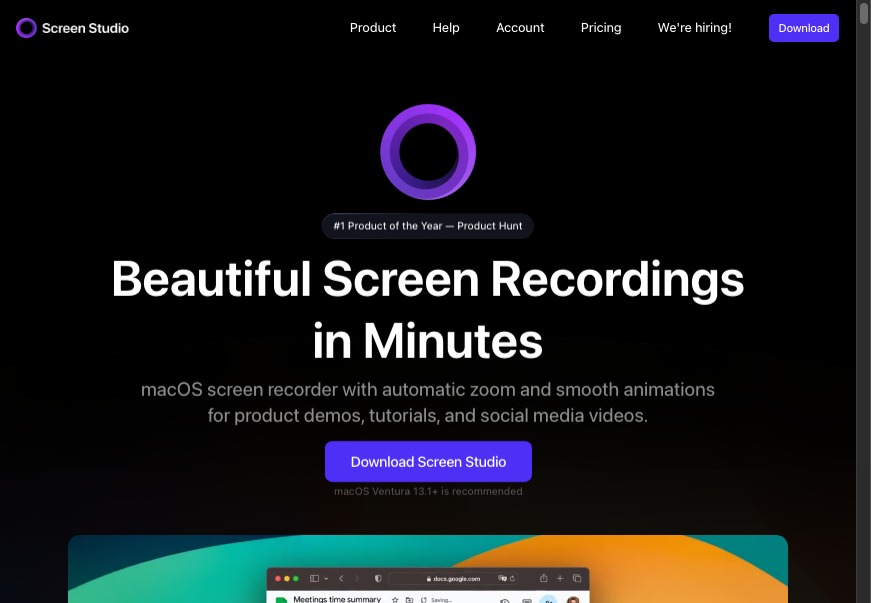
screen.studio
Screen Studio landing page
Screen Studio — Landing page preview View site →
Feature Comparison

ScreenSmooth vs Screen Studio: Features

A practical side-by-side comparison of features, pricing, and platform support.

Feature
ScreenSmooth
Screen Studio
Pricing
One-time purchase
✓
✗
No subscription
✓
✗
Price
$79 once
$29/mo ($108/yr)
Platform
Windows
✓
✗
Mac
✓
✓
Linux
✓
✗
Chrome extension
✓
✗
Native desktop app
✗ (on their roadmap but not available yet)
✓
Recording
Auto-zoom on clicks
✓
✓
Manual zoom editor
✓
✓
Records browser tabs using Chrome extension
✓
✗
Records full desktop/apps
✓ (auto-zoom/smooth-cursor only work in browser tab mode)
✓
Visual Style
Smooth cursor effects
✓
✓
Webcam overlay
✗
✓
Motion blur
✗
✓
Export
MP4 export
✓
✓
WebM export
✓
✗
GIF export
✓
✓
iPhone/iPad recording
✗
✓
💲 Pricing
One-time purchaseSmooth ✓Studio ✗
No subscriptionSmooth ✓Studio ✗
Price$79$29/mo
🖥 Platform
WindowsSmooth ✓Studio ✗
MacSmooth ✓Studio ✓
LinuxSmooth ✓Studio ✗
Chrome extensionSmooth ✓Studio ✗
Native desktop appSmooth ✗Studio ✓
🎥 Recording
Auto-zoom on clicksSmooth ✓Studio ✓
Manual zoom editorSmooth ✓Studio ✓
Records browser tabs (Chrome ext)Smooth ✓Studio ✗
Records desktop/appsSmooth ✗*Studio ✓
🎨 Visual Style
Smooth cursorSmooth ✓Studio ✓
Webcam overlaySmooth ✗Studio ✓
Motion blurSmooth ✗Studio ✓
📤 Export
MP4 exportSmooth ✓Studio ✓
WebM exportSmooth ✓Studio ✗
GIF exportSmooth ✓Studio ✓
iPhone/iPad recordingSmooth ✗Studio ✓
ScreenSmooth
ONE-TIME PURCHASE
$79
No subscription — pay once, own forever
Includes all future updates. Works on Windows, Mac, and Linux via Chrome extension.
Screen Studio
SUBSCRIPTION
$29/mo
or $108/year — subscription required
Mac-only native app with advanced features like webcam, motion blur, and GIF export.
Price takeaway: ScreenSmooth costs less than 3 months of Screen Studio and a one-time purchase.

Key Differences Between ScreenSmooth and Screen Studio

Price
ScreenSmooth: One-time $79 purchase.
Screen Studio: $29/month subscription ($108/year).
Platform
ScreenSmooth: Works on Windows, Mac, and Linux via Chrome extension.
Screen Studio: Mac-only native app.
Features
ScreenSmooth: Auto-zoom, smooth cursor, manual zoom editor. Record browser tab.
Screen Studio: Adds webcam overlay, background music, motion blur, GIF export, and iPhone/iPad recording.

Use ScreenSmooth when

  • You're on Windows or Linux (Screen Studio doesn't work)
  • You want to record browser tabs and SaaS product demos
  • You want a one-time price with no subscription
  • You're a founder or indie hacker who doesn't need advanced video editing

Use Screen Studio when

  • You're on Mac and need to record desktop apps
  • You want webcam overlay, background music, motion blur
  • You need iPhone/iPad recording or GIF export
  • You want advanced visual polish and style presets

Frequently Asked Questions

Does ScreenSmooth work on Windows?
Yes. ScreenSmooth is a Chrome extension so it works on any computer running Chrome — Windows, Mac, and Linux. Screen Studio only works on Mac.
Is ScreenSmooth cheaper than Screen Studio?
Yes. ScreenSmooth is $79 once. Screen Studio is $29/month — that's $108 per year and $216 over two years.
What can Screen Studio do that ScreenSmooth can't?
Screen Studio records full desktop apps and windows, adds webcam overlay, background music, and motion blur. ScreenSmooth can also record desktop applications or full screen, but the smooth cursor and auto-zoom features aren't available in that mode — you can still use the manual zoom feature.
What can ScreenSmooth do that Screen Studio can't?
ScreenSmooth works on Windows and Linux. It's also a one-time purchase vs Screen Studio's subscription.
Is there a Screen Studio Alternative for Windows?
Yes — ScreenSmooth is one of the few screen recorders with automatic zoom that works on Windows. Screen Studio is Mac-only.
Is there a free Screen Studio alternative?
ScreenSmooth isn't free, but it's a one-time $79 payment with no recurring fee — unlike Screen Studio, which no longer offers any free tier or one-time purchase option at all. It also offers similar auto zoom and smooth cursor features, so you get professional-looking recordings without paying monthly.

Ready to Try ScreenSmooth?

$79 lifetime. No subscription. Works on Windows, Mac, and Linux via Chrome extension.

Get ScreenSmooth — $79 Lifetime

⚠️ Price increases to $99 soon